


 PsFiles Designer
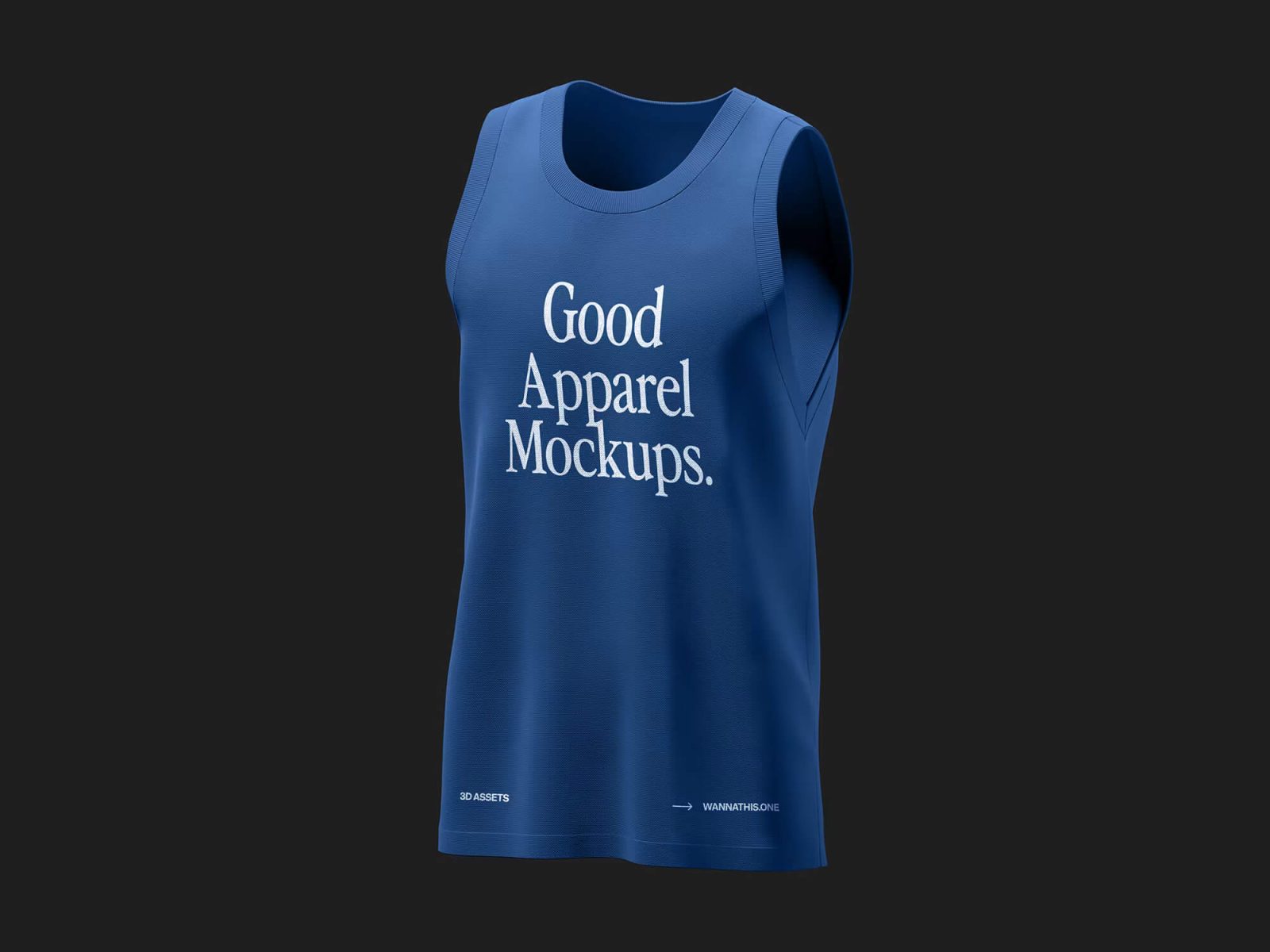
Creating professional apparel previews for your clothing brand or Etsy shop should not require expensive photoshoots or 3D rendering software. This Tank mockup PSD helps print-on-demand sellers, streetwear designers, and fashion brands showcase sleeveless apparel designs with realistic fabric texture, premium lighting, and clean presentation quality.
The mockup features a realistic blue sleeveless tank top displayed against a dark studio background, making it perfect for gym wear branding, sportswear collections, streetwear campaigns, and online apparel stores in 2026. Whether you’re designing for Printful, Shopify, Redbubble, or client presentations, this free sleeveless t-shirt mockup delivers a polished retail-ready result in minutes.
What’s Included in This Free Mockup
- 1 fully editable PSD mockup file
- High-resolution sleeveless apparel presentation
- Realistic tank top fabric texture and folds
- Smart object layers for fast artwork replacement
- Editable apparel colors and logo placement
- Clean dark studio background for premium product display
- Organized Photoshop layer groups for easy editing
- Realistic shadows and fabric detailing
- Compatible with Photoshop CS6, CC, and all 2024/2025 versions
File Info:
- Dimensions: 3680px by 2760px
- Download file type: .ZIP file
- Author: wannathis.one
- License: Free for personal and commercial use
- To use these PSD files you need Adobe Photoshop
How to Use This Mockup in Photoshop
- Download and extract the PSD file to your project folder.
- Open the PSD file in Adobe Photoshop CS6, Photoshop CC, or newer versions.
- Locate the smart object layer inside the Layers panel for apparel design editing.
- Double-click the smart object thumbnail to open the editable artwork canvas.
- Insert your branding, typography, or apparel artwork into the smart object layer.
- Save the smart object file and return to the main mockup automatically.
- Adjust apparel colors and lighting effects if needed to match your branding style.
- Export the final mockup as PNG or JPG for Etsy listings, Shopify stores, Instagram, or portfolio presentations.
💡 Pro Tip: Use high-contrast white typography or bold logo designs on darker tank colors for cleaner and more premium apparel previews.
Who Uses This Mockup — Real-World Use Cases
- Print-on-Demand Sellers — Printful and Printify store owners use tank mockups to create realistic gym wear and summer apparel product listings.
- Streetwear Brands — Clothing labels preview sleeveless apparel collections before manufacturing physical samples.
- Fitness Apparel Companies — Sportswear brands use tank top mockups for gym clothing launches and advertising campaigns.
- Freelance Graphic Designers — Designers present apparel branding concepts professionally for clients and portfolio projects.
- Etsy Shop Owners — Handmade apparel sellers create premium product thumbnails for sleeveless fashion collections.
- Social Media Managers — Marketing teams create Instagram apparel campaigns and social media templates with realistic clothing visuals.
- YouTube Creators & Streamers — Merchandise creators showcase branded sleeveless apparel for fan shops and promotional content.
Frequently Asked Questions
Is this Tank mockup PSD free for commercial use?
Yes, this tank mockup PSD is free for both personal and commercial use. You can use it for apparel branding, client projects, Etsy product listings, Shopify stores, social media campaigns, and print-on-demand businesses without extra licensing fees.
What Photoshop version do I need to open this PSD?
The PSD file works with Adobe Photoshop CS6, Photoshop CC, and all supported 2024 and 2025 versions. Smart object layers and editable elements remain fully compatible in current Photoshop releases.
How do I add my design to the tank top mockup?
Open the smart object layer inside the PSD file, place your logo design or apparel artwork into the editable canvas, and save the file. Your design automatically updates on the realistic sleeveless apparel preview.
Can I use this sleeveless mockup PSD without Adobe Photoshop?
You may be able to edit the PSD using Photopea or Affinity Photo, but Adobe Photoshop offers the best compatibility for smart objects, realistic fabric effects, and advanced layer editing. Some effects may not display correctly in alternative software.
Is this tank mockup suitable for gym wear and sportswear branding?
Yes, this professional mockup is ideal for fitness apparel brands, sportswear collections, gym merchandise, and activewear marketing campaigns. The realistic sleeveless presentation makes apparel branding look premium and retail-ready.
Professional apparel presentation can improve customer trust and increase conversions for online clothing brands. Download this free Tank mockup PSD below and create realistic sleeveless apparel previews for your next fashion or sportswear project.