


Easily convert your Google Drive sharing links into direct download links using this free tool. This tool allows you to bypass the preview page and instantly download files from Google Drive. No signup required and works instantly in your browser.
- Paste it into the input box above
- Click “Create Direct Link”
- Download or share the generated link
🛠️ How to Get Your Google Drive Sharing URL
To generate a direct download link, you first need your Google Drive sharing URL.
Step 1: Open Google Drive and locate the file you want to share.
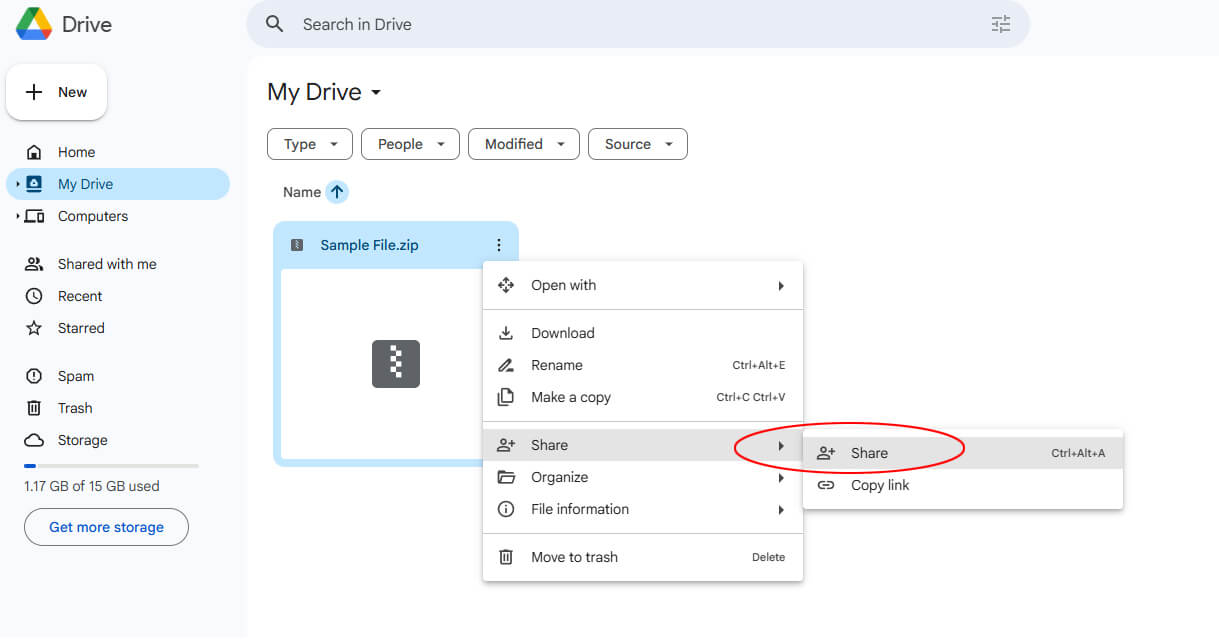
Step 2: Right Click → Click “Share”
Step 3: Change Access. In the popup window:
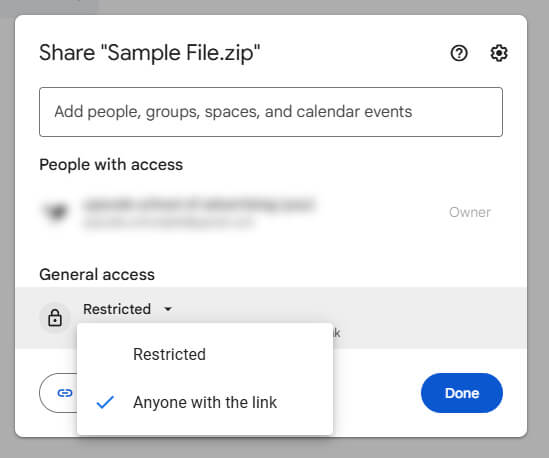
- Change access from Restricted → Anyone with the link
- Set permission to Viewer
👉 This is very important — otherwise your link won’t work.
Step 4: Click “Copy link” and save it.
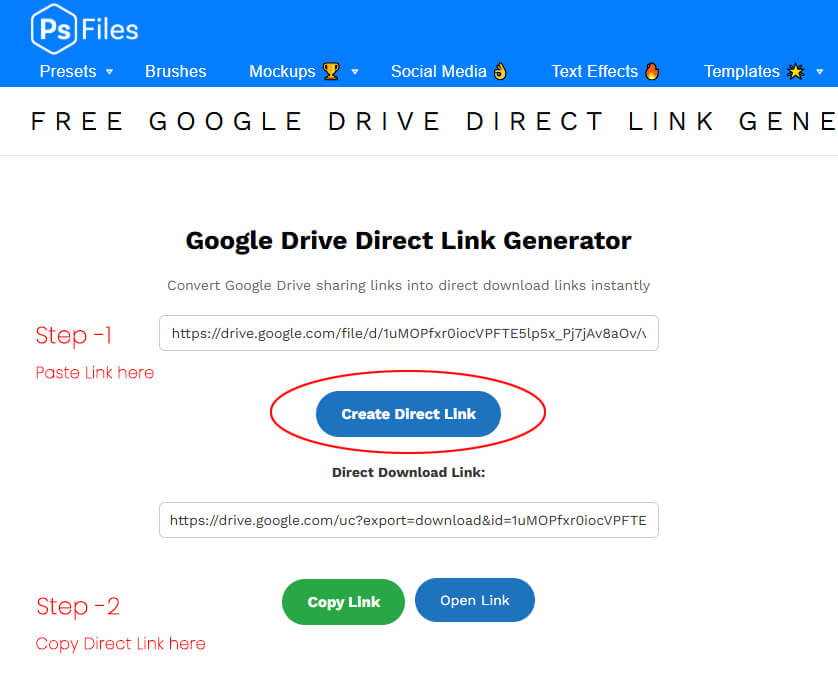
How to Use Our Google Drive Direct Link Generator
- Copy your Google Drive sharing link
- Paste it into the input box above
- Click “Create Direct Link”
- Get instant download link
- Share or use anywhere
What is a Direct Download Link?
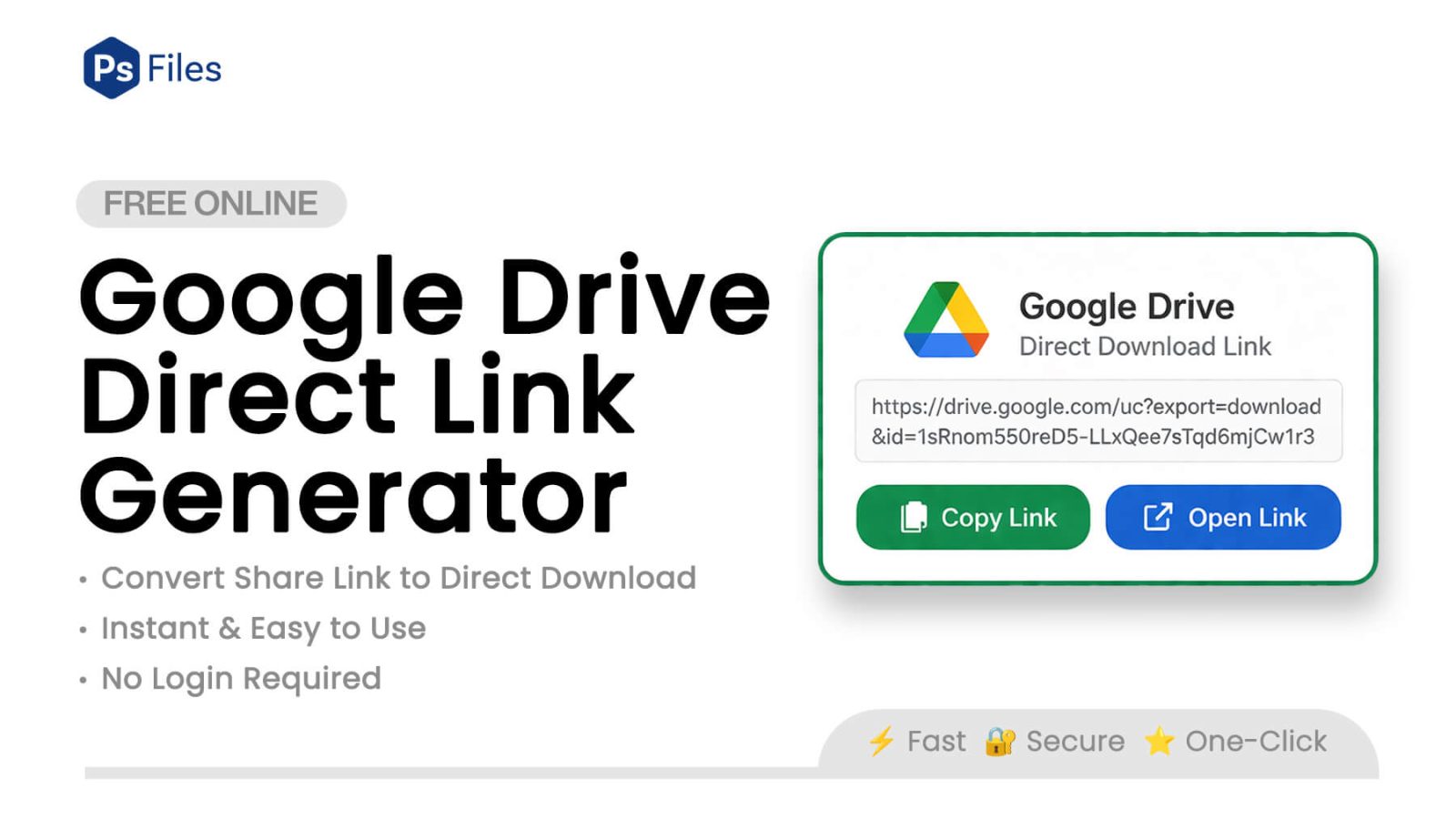
A direct download link allows users to:
- Skip the Google Drive preview page
- Start downloading instantly
- Use the file in apps, websites, or tools
👉 Normally, Google Drive shows a preview page first
👉 Direct links bypass that step completely
Features
- 100% free and fast
- No login required
- Instant direct download link
- Works with most Google Drive file links
⚠️ Important Notes
- File must be set to “Anyone with the link”
- Doesn’t work for Google Docs/Sheets (convert first)
- Large files may show Google warning page
Frequently Asked Questions
How do I convert a Google Drive link to a direct download link?
Copy your Google Drive sharing URL, paste it into the tool above, and click “Create Direct Link.” Your direct download link is generated instantly — no account or software needed.
Why is my Google Drive direct link not working?
The most common reason is that your file access is still set to “Restricted.” Open Google Drive, right-click the file, select Share, and change access to “Anyone with the link.” Then generate a new direct link using the tool above.
Does this work for Google Docs, Sheets, or Slides?
No — direct download links only work for uploaded files (like PDF, ZIP, PSD, MP4, PNG). Google Docs, Sheets, and Slides cannot be directly downloaded this way. You will need to export them as a file first (File → Download) and re-upload to Google Drive.
Is it safe to use a Google Drive direct link generator?
Yes. This tool runs entirely in your browser — your link is never sent to any server. The tool simply converts the file ID from your sharing URL into the standard Google download format.
How long does a Google Drive direct download link last?
As long as your file exists on Google Drive and the sharing setting remains “Anyone with the link,” the direct link will keep working. If you delete the file or change the access settings, the link will stop working.
Can I use this to share PSD or Photoshop files directly?
Yes. This is one of the most popular uses — upload your PSD file to Google Drive, set access to “Anyone with the link,” generate a direct link, and share it so others can download instantly without seeing the Drive preview page. Browse our free PSD resources and use this tool to share them.