


 PsFiles Designer
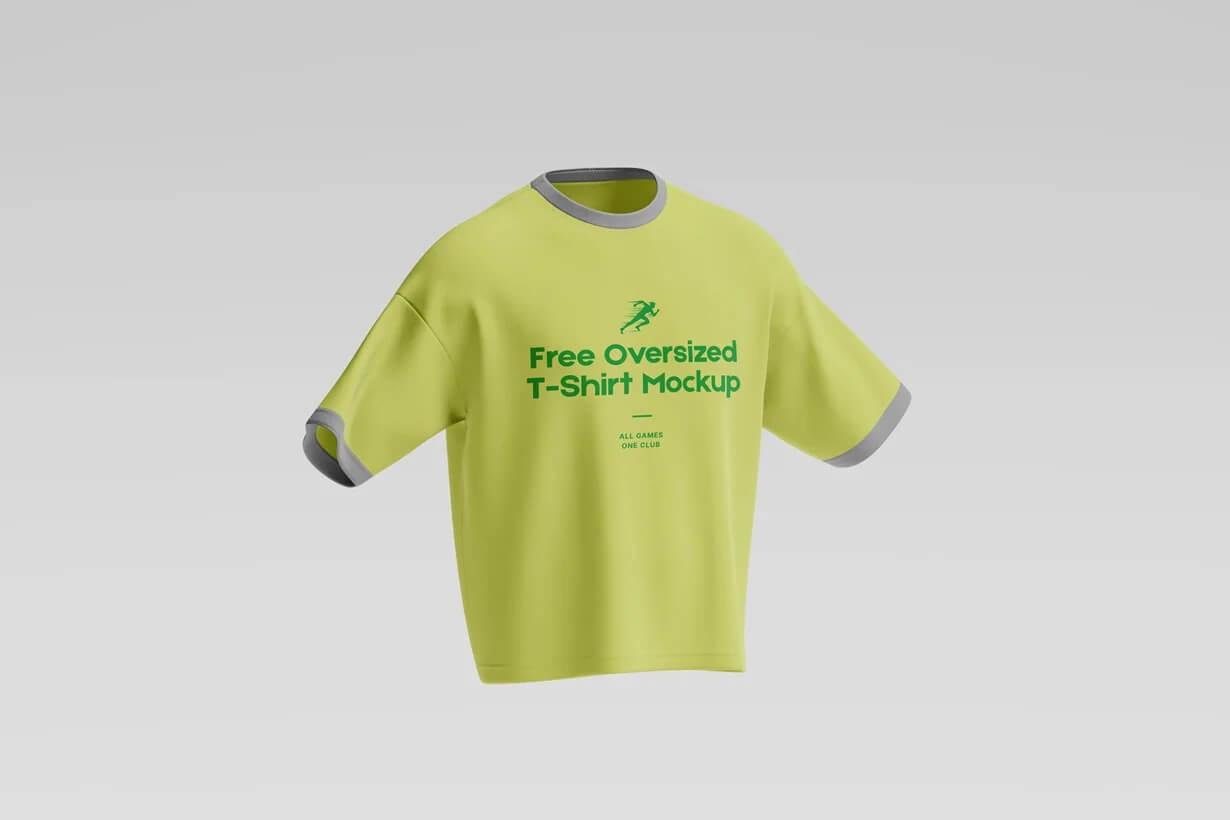
Creating clean and professional oversized apparel previews can be difficult without expensive photography or advanced 3D rendering tools. This Oversized T-Shirt Mockup PSD helps clothing brands, Etsy sellers, and graphic designers showcase streetwear designs with realistic fabric texture, modern lighting, and premium floating presentation effects.
The mockup features a stylish oversized t-shirt with realistic shadows and soft fabric folds, making it perfect for streetwear branding, print-on-demand businesses, social media campaigns, and fashion product presentations in 2026. Whether you’re designing for Shopify stores, Printful products, or apparel client presentations, this oversized apparel mockup gives your designs a polished retail-ready look instantly.
What’s Included in This Free Mockup
- 1 fully editable PSD mockup file
- High-resolution oversized t-shirt presentation
- Realistic fabric texture and apparel folds
- Smart object layers for fast artwork replacement
- Editable t-shirt colors and branding placement
- Floating apparel presentation scene
- Organized and labeled Photoshop layers
- Realistic shadows and lighting effects
- Compatible with Photoshop CS6, CC, and all 2024/2025 versions
File Info:
- Category: Apparels and Clothing
- Dimensions: 4500×3000 px
- File Size: 36 MB
- Download file type: Zip
- License: Free for your personal and commercial use
- Author: reza azmi
- To use these PSD files you need Adobe Photoshop
How to Use This Mockup in Photoshop
- Download and unzip the PSD mockup file to your computer.
- Open the PSD file in Adobe Photoshop CS6, Photoshop CC, or newer versions.
- Find the smart object layer inside the Layers panel for t-shirt artwork editing.
- Double-click the smart object thumbnail to open the editable design canvas.
- Insert your logo, typography, or apparel design into the smart object layer.
- Save the smart object file and return to the main mockup automatically.
- Customize apparel colors or shadows if needed to match your streetwear branding.
- Export the final mockup as JPG or PNG for Shopify stores, Etsy listings, Instagram, or Behance portfolios.
💡 Pro Tip: Bold center-aligned typography works especially well on oversized t-shirt mockups because it enhances the modern streetwear aesthetic.
Who Uses This Mockup — Real-World Use Cases
- Streetwear Brands — Fashion labels showcase oversized apparel collections before manufacturing physical samples.
- Print-on-Demand Sellers — Printful and Printify store owners create realistic product previews for Shopify and Etsy stores.
- Graphic Designers — Freelancers present apparel branding concepts professionally for fashion and merchandise clients.
- Social Media Managers — Marketing teams create Instagram apparel campaigns and streetwear advertisements with realistic mockups.
- Clothing Startups — Small apparel businesses build product catalogs and launch new oversized fashion collections online.
- YouTube Creators & Streamers — Merchandise creators preview branded oversized t-shirts for fan stores and promotional campaigns.
- Fashion Agencies — Creative agencies develop modern apparel presentations and branding case studies for client pitches.
Frequently Asked Questions
Is this Oversized T-Shirt Mockup PSD free for commercial use?
Yes, this Oversized T-Shirt Mockup PSD is free for both personal and commercial use. You can use it for apparel branding, Shopify stores, Etsy listings, social media marketing, and client presentations without additional licensing fees.
What Photoshop version do I need to edit this PSD?
The PSD file works with Adobe Photoshop CS6, Photoshop CC, and all supported 2024 and 2025 versions. Smart object layers and editable apparel elements remain fully compatible in current Photoshop releases.
How do I place my design on the oversized t-shirt mockup?
Open the smart object layer inside the PSD file, insert your typography, logo, or apparel artwork into the editable area, and save the file. Your design automatically updates on the realistic oversized t-shirt presentation.
Can I use this oversized t-shirt mockup without Adobe Photoshop?
You may be able to edit the PSD using Photopea or Affinity Photo, but Adobe Photoshop provides the best compatibility for smart objects, apparel textures, and layered effects. Some advanced details may not render correctly in alternative software.
Is this oversized apparel mockup suitable for streetwear brands?
Yes, this mockup is ideal for streetwear collections, oversized fashion branding, sportswear merchandise, and modern apparel campaigns. The floating presentation style gives designs a premium and trendy retail-ready appearance.
Professional apparel presentation can improve customer trust and increase sales conversions for online fashion stores. Download this free Oversized T-Shirt Mockup PSD below and create realistic streetwear previews for your next clothing project.