


Google Drive Direct Link Generator
Convert Google Drive sharing links into direct download links instantly
Free Google Drive Direct Download Link Generator
Easily convert your Google Drive sharing links into direct download links using this free tool. This tool allows you to bypass the preview page and instantly download files from Google Drive. No signup required and works instantly in your browser.
- Paste it into the input box above
- Click “Create Direct Link”
- Download or share the generated link
🛠️ How to Get Your Google Drive Sharing URL
To generate a direct download link, you first need your Google Drive sharing URL.
Step 1: Open Google Drive and locate the file you want to share.
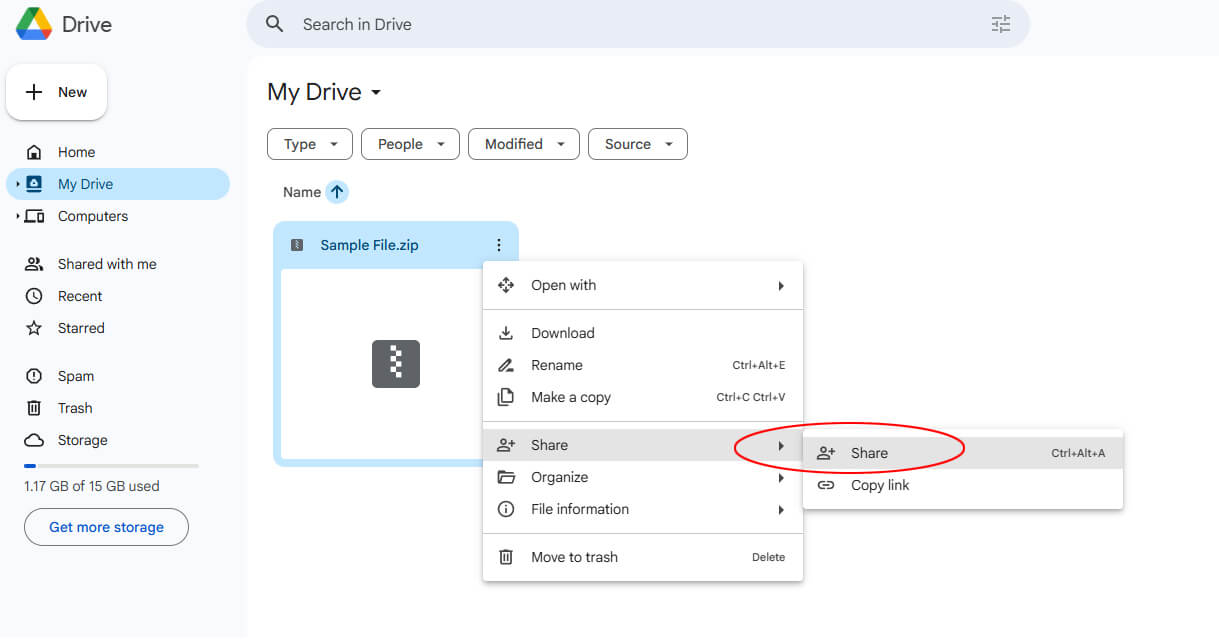
Step 2: Right Click → Click “Share”
Step 3: Change Access. In the popup window:
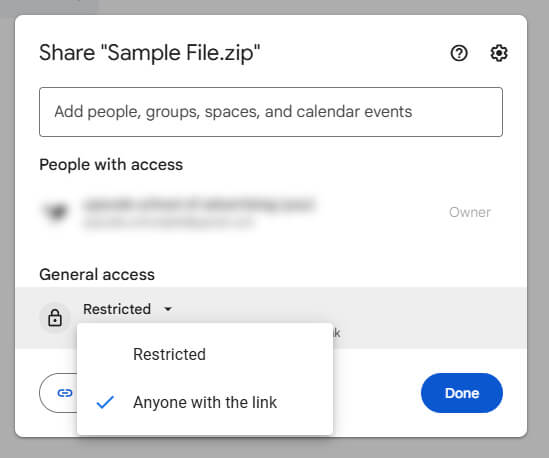
- Change access from Restricted → Anyone with the link
- Set permission to Viewer
👉 This is very important — otherwise your link won’t work.
Step 4: Click “Copy link” and save it.
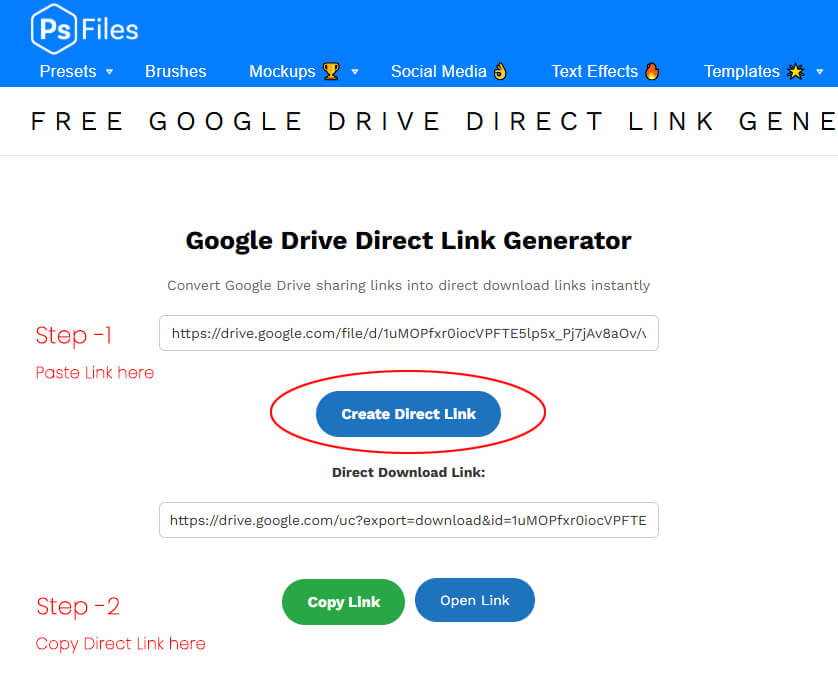
How to Use Our Google Drive Direct Link Generator
- Copy your Google Drive sharing link
- Paste it into the input box above
- Click “Create Direct Link”
- Get instant download link
- Share or use anywhere
What is a Direct Download Link?

A direct download link allows users to:
- Skip the Google Drive preview page
- Start downloading instantly
- Use the file in apps, websites, or tools
👉 Normally, Google Drive shows a preview page first
👉 Direct links bypass that step completely
Features
- 100% free and fast
- No login required
- Instant direct download link
- Works with most Google Drive file links
⚠️ Important Notes
- File must be set to “Anyone with the link”
- Doesn’t work for Google Docs/Sheets (convert first)
- Large files may show Google warning page
Keywords
google drive direct download link generator,
convert google drive link to direct download,
google drive direct link,
download google drive file without preview,
direct download link generator free,
google drive file id download link
spreadsheet direct link generator
excel sheet download link