



 PsFiles Designer
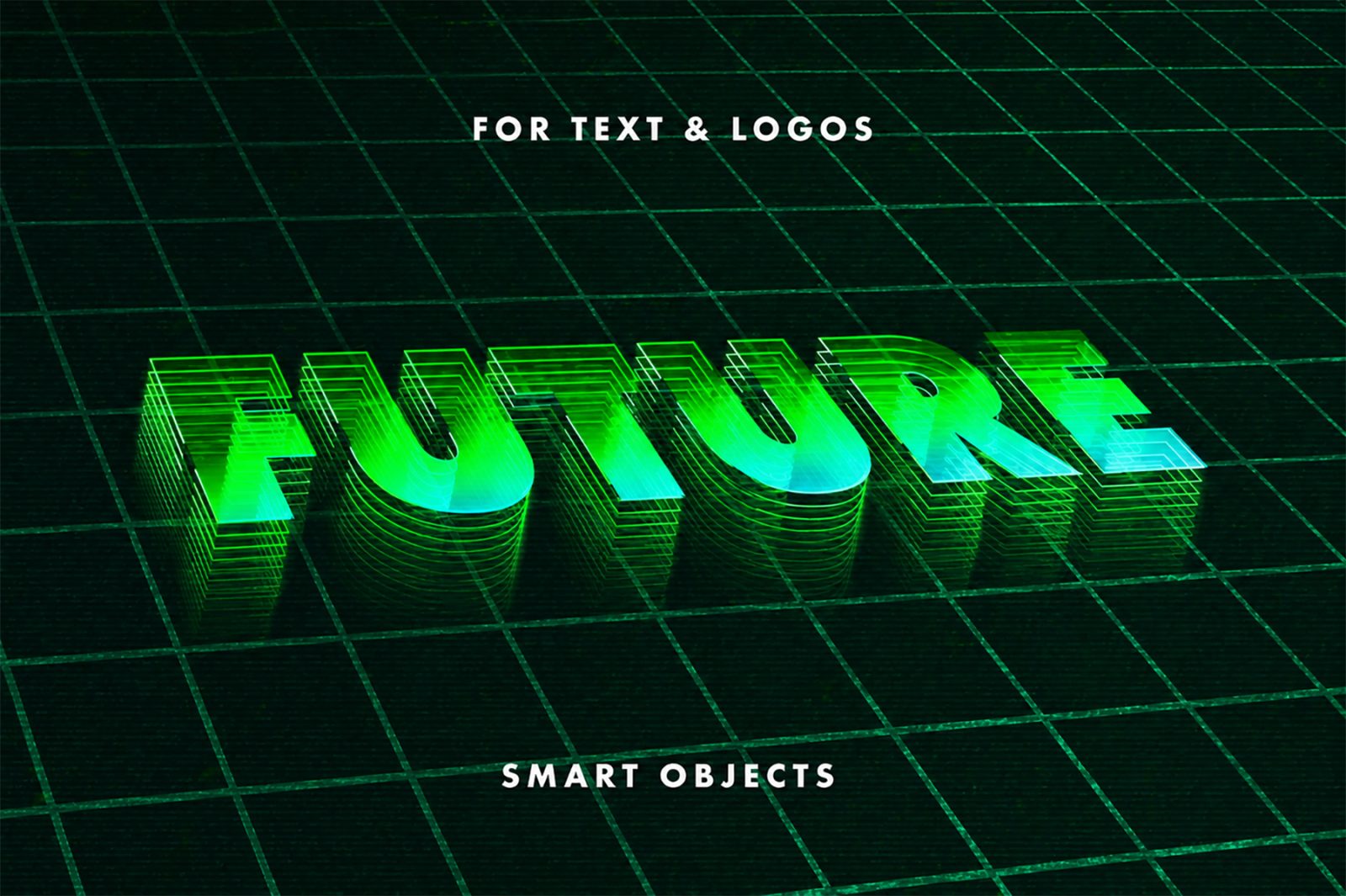
Take your typography back to the neon-soaked world of the 1980s with this free Retrowave Mesh Text Effect PSD for Photoshop. Inspired by the iconic synthwave, retrowave, and vaporwave aesthetic — glowing neon colors, perspective grid lines, sunset gradients, and that unmistakable retro-futuristic atmosphere — this PSD brings it all into one instantly editable file.
Whether you’re creating a music album cover, a retro-themed YouTube thumbnail, an 80s-inspired poster, or a synthwave event flyer, this free Photoshop text effect delivers the look in minutes.
What Is the Retrowave Mesh Text Effect?
Retrowave (also called synthwave or outrun) is one of the most recognizable visual styles of the last decade. Defined by hot pink and electric blue neon tones, a perspective grid fading to a sunset horizon, chrome or glowing letters, and a deep dark background — it’s the visual language of artists like Kavinsky, Gunship, and FM-84, and games like Hotline Miami, Far Cry 3: Blood Dragon, and Cyberpunk 2077.
This PSD captures that exact aesthetic for your text. The mesh/grid perspective is baked into the design, and the text sits within the scene as a bold, glowing focal point.
What’s Inside the PSD File
- Fully layered and organized PSD file
- Smart Object layer — replace text in seconds
- Editable retrowave background with perspective grid
- Neon color palette — pink, cyan, purple, electric blue
- Glowing text effect with customizable intensity
- High resolution — ready for print and digital
- Compatible with Photoshop CS6, CC 2018, CC 2019, CC 2020, CC 2021, CC 2022, CC 2023, CC 2024, CC 2025
- To use these PSD files you need Adobe Photoshop
File Details
| Property | Detail |
|---|---|
| File Format | .PSD (Adobe Photoshop) |
| File Szie | 77 MB |
| Resolution | High Resolution |
| Editable Text | Yes — Smart Object |
| Style | Retrowave / Synthwave / 80s Neon Grid |
| License | Free for personal and commercial use |
| Author | Pixelbuddha |
| Compatible With | Photoshop CS6, CC 2018–2025 |
How to Customize This Retrowave Text Effect in Photoshop
- Download and open the PSD file in Adobe Photoshop
- Locate the Smart Object layer in the Layers panel
- Double-click the Smart Object to open the editable text document
- Type your text — any font works, but bold condensed fonts look best
- Save and close the smart object (Ctrl+S / Cmd+S)
- Back in the main PSD, your text is now styled with the full retrowave mesh effect
- Adjust colors if desired — change the gradient layers to shift the neon palette
- Export as JPG or PNG for your project
The whole editing process takes under three minutes. The smart object system means the effect is fully non-destructive — you can change and experiment freely without losing any quality.
Best Uses for This Retrowave Synthwave Text PSD
The 80s retrowave aesthetic is everywhere right now — in music, gaming, film, fashion, and social media. Here’s where this PSD works best:
- Music artwork — synthwave, lo-fi, retrowave, chillwave album covers and singles
- YouTube thumbnails — retro gaming content, movie reviews, 80s/90s themed channels
- Event posters — 80s nights, neon parties, synthwave concerts and DJ events
- Social media graphics — Instagram headers, Twitter/X banners, Facebook covers
- Game title screens — retro-style indie games and fan projects
- T-shirt and merch designs — retrowave aesthetic clothing is massively popular
- Short film and video titles — retro VHS-style intros and credits
- Podcast cover art — especially for pop culture, film, or music podcasts
Retrowave vs Synthwave vs Vaporwave — What’s the Difference?
These three terms get mixed up often. Here’s a quick breakdown:
Retrowave / Outrun — Fast, cinematic, inspired by 80s car chases and action films. Bold grid lines, sunset horizon, speed lines. Think Kavinsky’s “Nightcall.”
Synthwave — The music genre that gave rise to the visual style. Slightly broader than retrowave — includes dreamier, more melodic tones. Neon and chrome are central.
Vaporwave — More surreal and ironic. Pastel pinks and purples, Greek statues, glitch art, corporate nostalgia. Think late 80s/early 90s rather than pure 80s.
This PSD leans toward retrowave and synthwave — the dark background, perspective grid, and strong neon colors are the defining elements. It also works well for vaporwave projects with a quick palette adjustment.
Why Retrowave Design Is Still Trending
The retrowave aesthetic exploded around 2017–2019 and hasn’t slowed down. Its popularity comes from genuine nostalgia for 80s culture, but also from how visually distinct it is — in a world of flat design and minimalism, neon grids and glowing text immediately catch the eye.
For YouTube creators especially, retrowave thumbnails consistently outperform generic designs in click-through rate because the style is eye-catching, high-contrast, and immediately communicates a specific mood and genre.
Frequently Asked Questions
What font works best with the retrowave mesh text effect?
Bold, uppercase, condensed or display fonts work best. Classic choices include Impact, Bebas Neue, Bank Gothic, or any sci-fi/retro style font from Google Fonts. Avoid thin or script fonts — they don’t hold the neon glow effect well.
Can I change the neon colors?
Yes, completely. The neon pink and cyan are in separate gradient overlay and color fill layers. You can shift them to any neon color — green, orange, purple, or yellow — by simply changing the layer color values.
Does this work in GIMP or Affinity Photo?
This PSD is designed for Adobe Photoshop. GIMP can open PSD files but may not render Smart Objects, layer styles, or gradients identically. Affinity Photo has better PSD compatibility than GIMP.
Can I use this for commercial projects?
Yes — this file is free for personal and commercial use. Use it for client work, social media, print, merchandise, and more.
Is a download account required?
No. Click the download button and the PSD file downloads immediately, no signup needed.
Download the Free Retrowave Mesh Text Effect PSD
Hit the download button above for instant free access. No account, no email required.
Explore more free text effect PSD files in our Photoshop Text Effects Collection — updated regularly with new free Photoshop resources.