


 AbduDzyn

Today Freebies is an eye-catching 3D Photoshop Gold Text Effect PSD Downloads by HyperStudio. Give your designs a new dimension and extra depth with this masterly designed PSD. This well-organized piece of design works well with all kinds of layers, texts, shapes, and vectors. Just some simple clicks and you’re good to go. You only have to drag and drop your design into the smart object and enjoy.
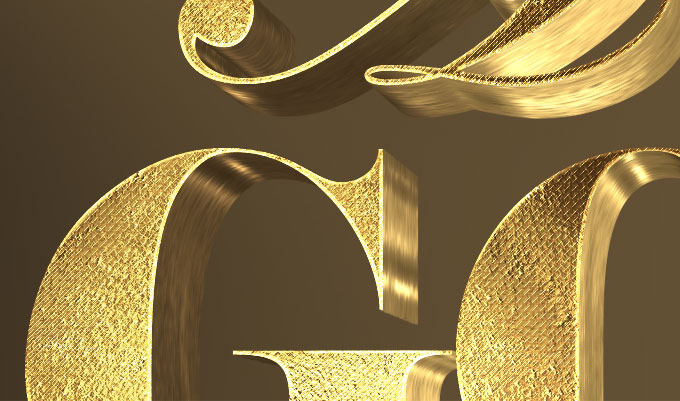
Free 3D Gold Text Effect PSD — Realistic Metallic Luxury Style
Create stunning 3D metallic gold text for your designs using this free Photoshop PSD. The gold effect is fully rendered with realistic depth, shine, and shadow — perfect for luxury branding, event invitations, certificates, and premium social media graphics.
What’s included:
- 1 layered PSD file with 3D gold text effect
- Fully editable text — change to any word or phrase in seconds
- Realistic gold gradient with highlights, midtones, and deep shadows
- 3D depth effect with bevel and emboss styling
- Drop shadow and background included
- Compatible with Photoshop CS6 and above
File Info:
- Available Format: Well Organized .psd files
- Dimensions: 2600×1900 Pixels
- License: Free for personal and commercial use
- File Size: 34 Mb
- Download file type: Zip
- Author: Hyperpix
- To use these you need Adobe Photoshop
How to change the text:
- Open the PSD file in Photoshop
- Double-click the text layer in the Layers panel (T icon)
- Select all text (Ctrl+A) and type your new word or phrase
- Press Ctrl+Enter to confirm — the gold effect applies automatically
- Adjust font size or position if needed using the Move tool
Perfect for: Luxury brand identity, wedding invitation design, New Year and holiday greeting cards, certificate and award design, YouTube thumbnails, real estate marketing, jewelry brand advertising, and premium social media posts.
Frequently Asked Questions
Can I change the font to my own custom font? Yes. With the text layer selected, change the font in the Character panel (Window → Character). The gold layer styles will apply to any font automatically.
How do I make the gold color more or less vibrant? Double-click the text layer to open Layer Style → Gradient Overlay. Adjust the gradient colors to make gold warmer (more orange/yellow) or cooler (more champagne/silver-gold).
Can I change this to silver or rose gold? Yes. In the Gradient Overlay settings, replace the gold color stops with silver tones (#C0C0C0, #E8E8E8, #888) for silver, or peach-pink tones (#B76E79, #E8C4B8) for rose gold.
Can I use this for print projects? Yes. Change the document color mode to CMYK (Image → Mode → CMYK) and ensure resolution is set to 300 DPI for print-ready output.