


 AbduDzyn
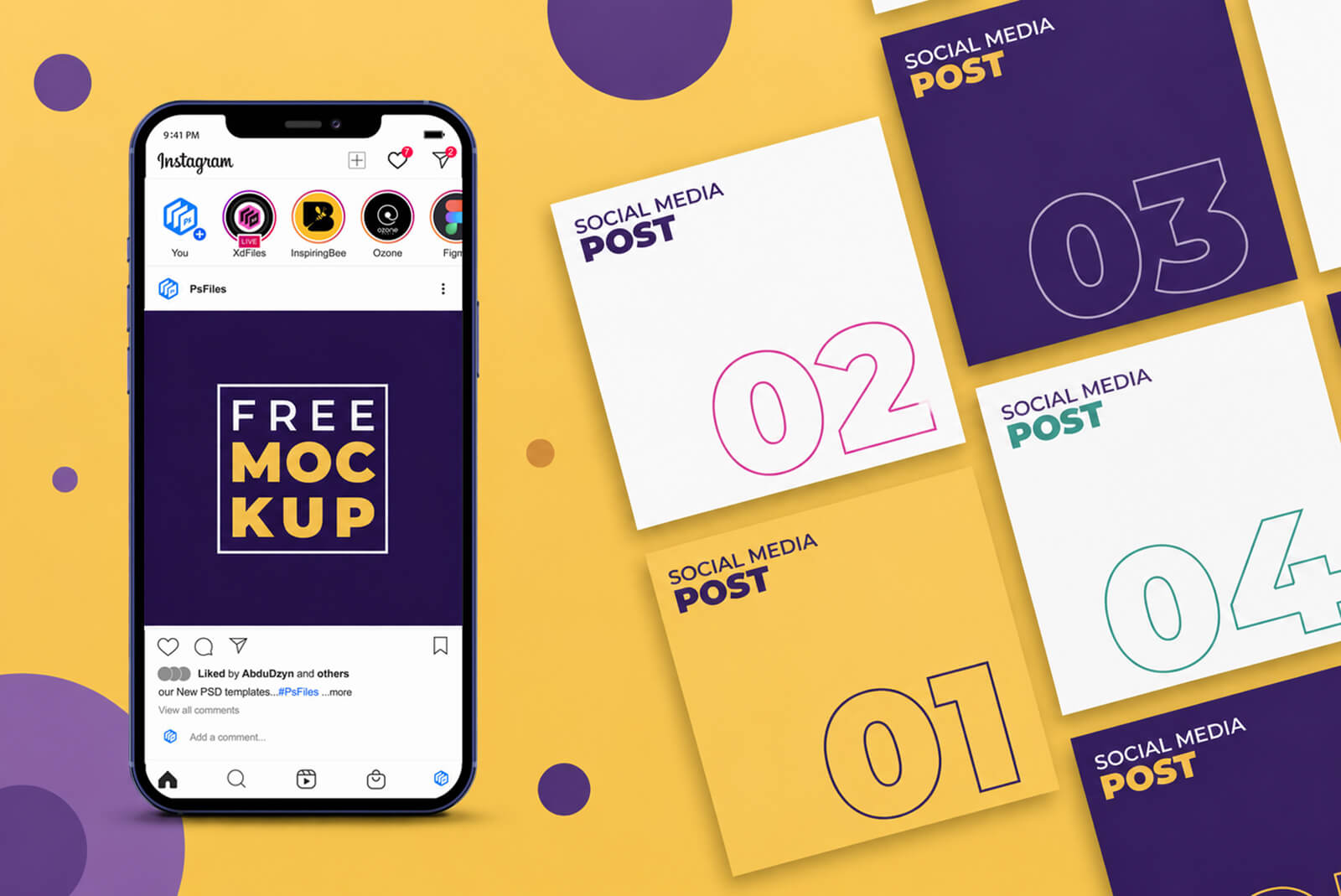
Free Download our new and exclusive Social media banner mockup or Instagram Post Mockup for your digital marketing or Portfolio profile showcasing. On this PSD mock-up you can feature and showcase 6 different social media post design and the Device, iPhone 13 is movable, The background color and iphone 13 colour is also changeable. Download Enjoy!
If your looking for Creative POST design PSD templates check this out
Before you publish a social media graphic to your client or brand page, you need to know exactly how it will look in the wild — inside a real Instagram feed, on a real phone screen. This Free Instagram Post Mockup PSD puts your social media banner designs inside a photorealistic smartphone display so your clients see the finished result, not just a flat JPEG.
No more “will this look good on Instagram?” guessing. Drop your design in, render it out in seconds, and present with confidence.
What’s Included
This mockup pack gives you a fully layered PSD with a smartphone screen displaying an Instagram feed view. Your design populates the main post slot via smart object — one double-click and your banner fills the phone screen perfectly, complete with surrounding UI chrome (profile icons, like/comment bars, navigation) that makes the presentation look completely authentic.
The pack works equally well for: Instagram square posts (1080×1080px), Instagram portrait posts (1080×1350px), Facebook feed posts, LinkedIn article headers, and general social media graphic presentations.
File Info:
- Dimensions: 2300 x 1550 px with 300dpi
- Available Format: Fully Layered .PSD Format
- License: Free for your personal and commercial use
- File Size: 2.62 MB
- Download file type: WinRAR
- Author: PsFiles.com
- To use these PSD files you need Adobe Photoshop
How to Use the Instagram Post Mockup
- Open the PSD in Adobe Photoshop
- Find the smart object layer — labeled “Your Design Here”
- Double-click to open the smart object canvas
- Place or paste your social media graphic (1080×1080px for square posts)
- Save and close the smart object
- Your design now appears inside the phone mockup
- Export as JPG at 72–150 DPI for presentations, or PNG for transparent background delivery
Use Cases
This template is used by social media managers for client presentations, freelance graphic designers for portfolio mockups, marketing teams for campaign concept approvals, and content creators presenting brand pitches.