 PsFiles Designer
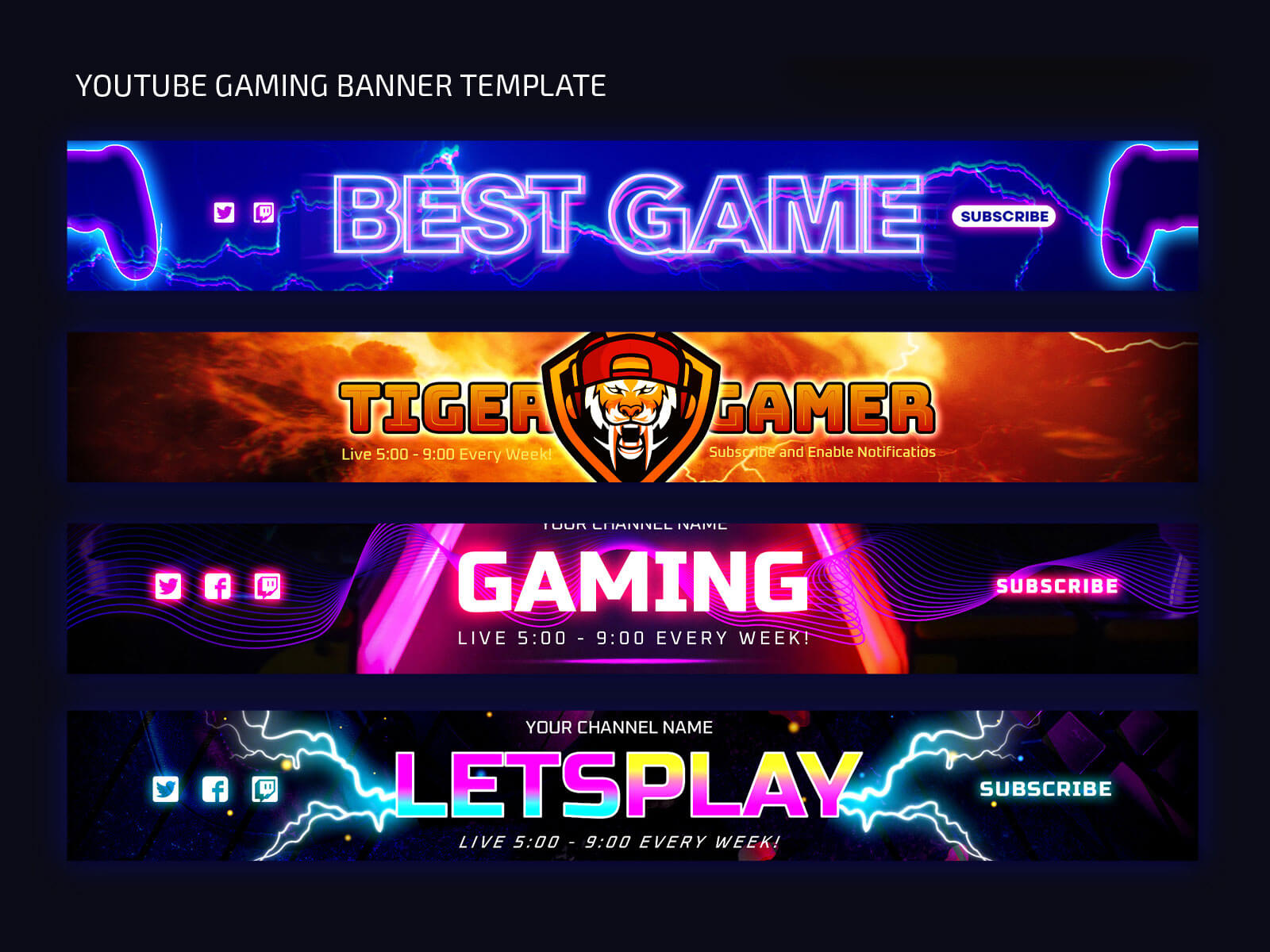
Today’s free PSD is a game-changer for your YouTube gaming channel Cover ART! Introducing our brand new set of Free YouTube Gaming Banner Templates that will take your channel to the next level. With six stunning banner templates. These banners feature a mesmerizing blend of neon colors, abstract shapes, and unique layouts, guaranteed to leave a lasting impression on your followers. Use them to celebrate your gaming victories, announce thrilling live events, and keep your community excited for what’s to come. The best part? You can easily customize any of these templates in Photoshop to align with your channel’s brand and style. Don’t miss out on this incredible opportunity to elevate your YouTube gaming content and make it stand out from the rest. Download the templates now and let your creativity shine!
Your YouTube channel is your brand. A professional gaming banner is the first thing viewers see when they land on your channel — and a bad one costs you subscribers before you even say a word. This Free YouTube Gaming Banner PSD Template pack gives you everything you need to set up a stunning channel in minutes.
Designed to Google’s official YouTube channel art specifications, these templates are built at the full 2560×1440px safe area — so your design looks perfect on desktop, mobile, tablet, and TV screens simultaneously. No guessing, no cropping surprises.
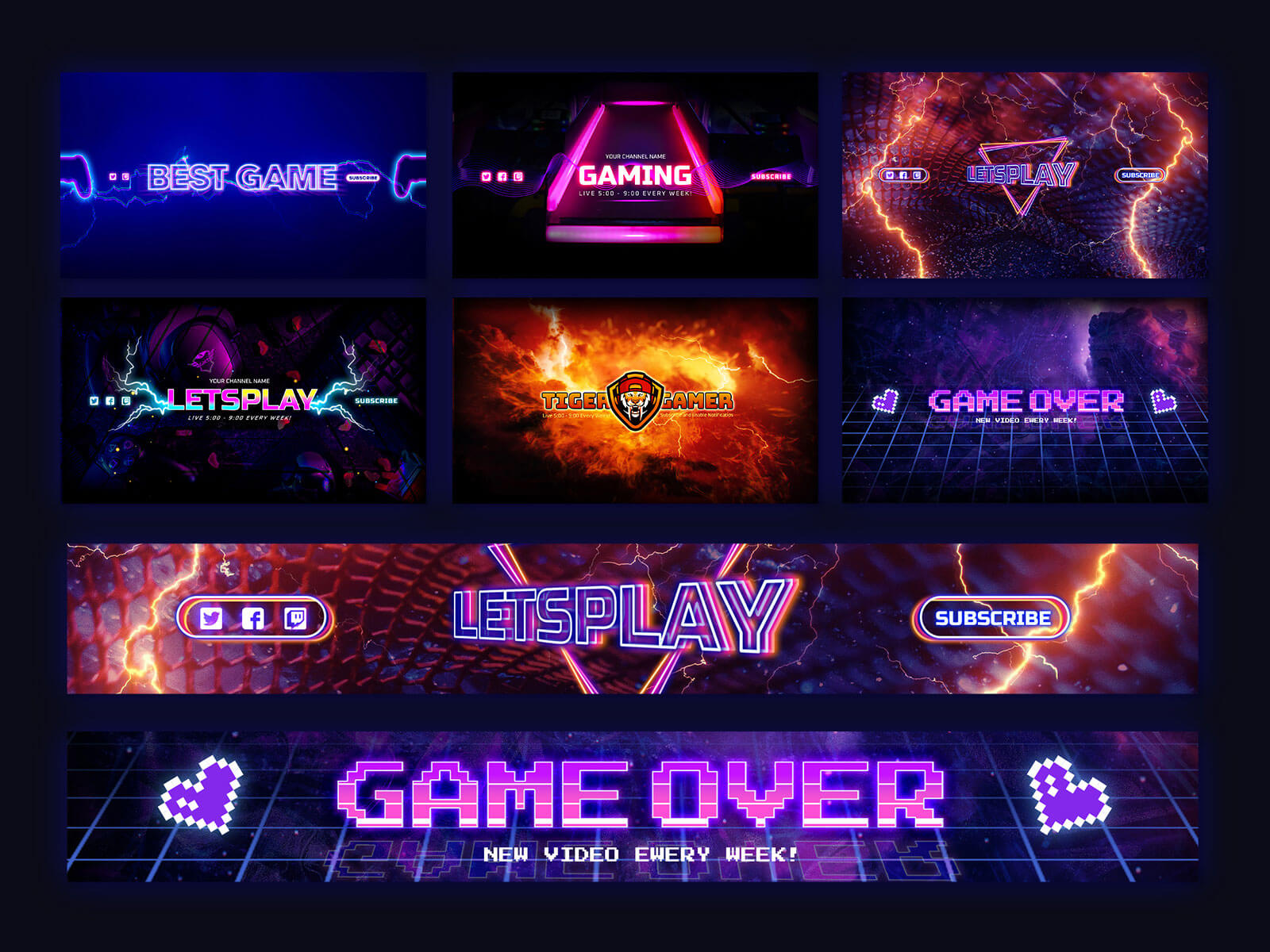
What’s Inside the Free YouTube Gaming Banner Pack?
Every template in this pack is fully layered and editable in Adobe Photoshop. Swap in your own channel name, tagline, upload schedule, and social handles in minutes. The design uses smart objects so replacing background art or character images is a single double-click.
The pack includes designs suited for: FPS / shooter channels, RPG and fantasy gaming channels, esports team branding, general gaming commentary channels, and live streaming overlay-style banners.
YouTube Banner Safe Zones — Explained
YouTube displays your channel art differently across devices. The safe zone system works like this:
The TV display uses the full 2560×1440px image. The desktop crops to approximately 2560×423px (the horizontal strip). Mobile crops further to 1546×423px. The absolute safe zone — where your text and logo must stay — is the central 1546×423px area.
Every template in this pack has the safe zone pre-marked with a guide layer. Simply keep your text inside the guides, hide the guide layer, and export.
File Information
| Detail | Info |
|---|---|
| Format | Fully Layered PSD + AI + EPS |
| Category | Streaming PSD |
| Dimensions | 2560 × 1440px (full YouTube spec) |
| License | Free — Personal & Commercial |
| File Size | 12 MB |
| Software | Adobe Photoshop CC 2019+ |
| Author | Free-psd-templates |
| Download Type | ZIP file |
To use these PSD files you need Adobe Photoshop
How to Edit the YouTube Gaming Banner PSD
- Download and extract the ZIP file
- Open the
.psdfile in Adobe Photoshop - Double-click the smart object layer to swap in your background image or character art
- Click the text layers and update with your channel name, upload schedule, and social handles
- Hide the “Safe Zone Guide” layer
- Export as PNG via File > Export > Export As at full resolution
For best results, export at 2560×1440px PNG under 6MB (YouTube’s upload limit for channel art).