


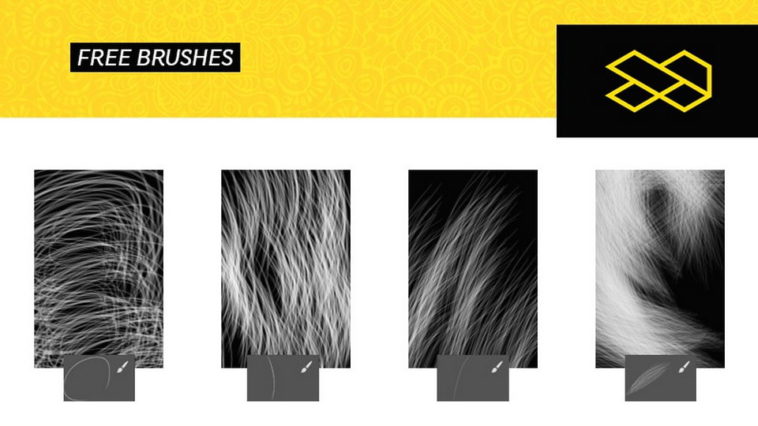
These free hair Photoshop brushes are designed to create realistic hair strands, flyaway effects, and natural hair textures in your designs. Ideal for portrait retouching, photo manipulation, digital art, and beauty edits, this high-resolution .ABR brush pack works smoothly with Photoshop CC and newer versions. A set of 4 free hair brushes for Photoshop to recreate hairs and furs in your artworks. Thanks to Gio Brizzi for sharing the Photoshop brushes. Don’t forget to appreciate this great project and follow the creative designer.
File Info:
- 4 brushes in the set
- Dimensions:
- Available Format: ABR files
- Minimum PS Version: CS6
- License: Free for personal and commercial use
- File Size: 270.59 KB
- Author: Gio Brizzi
- Open & edit this file easily using Adobe Photoshop (Official)
Instructions:
How to install brushes (.abr files) :
-Put the (.abr) file you’ve downloaded into the folder
(on Windows)C:\Program Files\Adobe\Photoshop\Presets\Brush
(on Mac) /Users/{YOUR USERNAME}/Library/Application Support/Adobe/Adobe Photoshop ___/
-Then open your Adobe Photoshop, active brush tool, go to option palette and click on to open the brush preset picker.
(read more other ways to install)