


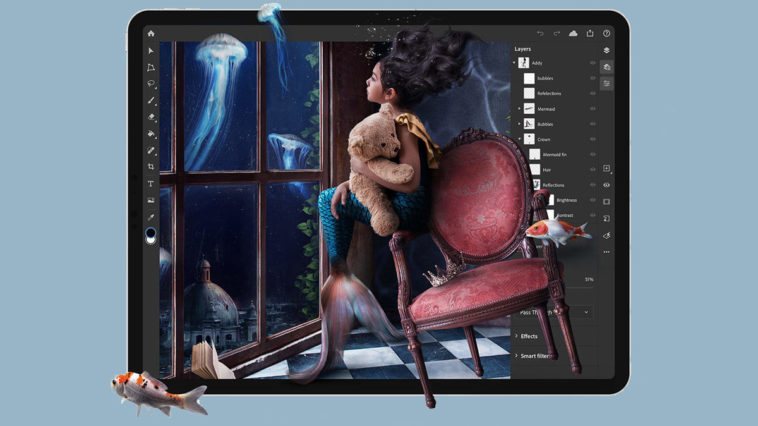
Adobe just launched Photoshop on iPad. After murmurings and a confirmation last year that the company would be bringing “full Photoshop” to the iPad, version 1.0 of the brand new app finally launched to the public today.
Photoshop on iPad uses the same code base as Photoshop for desktop — Adobe’s goal was to reimagine the “power, depth, and flexibility” of the desktop app for use on a tablet with a pencil and smaller touchscreen.
The new iPad app can open the exact same PSD files — even large, multi-layered ones — that the desktop app can, and you won’t have to deal with any conversions, compressions, importing, or exporting. Any edits you do will produce the exact same results.
The standard Photoshop toolbar is still on the left side, though it’s modernized for touch usage. A minimalistic layers panel is on the right, but you can also work with a detailed layers panel if you’d like the desktop experience.
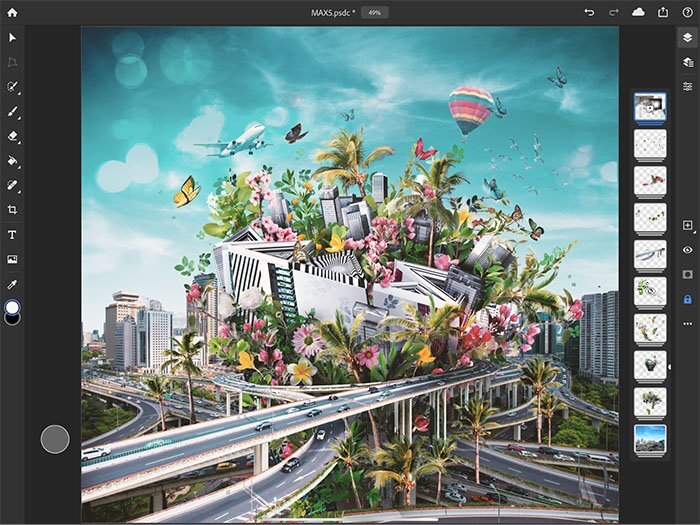
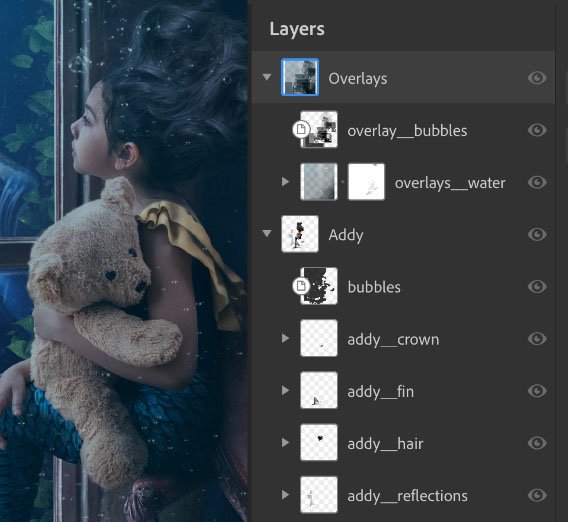
Work done in the iPad app is automatically saved to the cloud through a new “cloud documents” system Adobe is rolling out. All files are saved as PSDs and are at your fingertips through any of your full Photoshop installations.
While the potential of the app is there, version 1.0 of the iPad app doesn’t include the full host of features found on the desktop app. Adobe focused its attention on compositing, basic retouching, and masking — “common tasks and workflows that we know will be useful for most Photoshop users,” Adobe says. “Over time, we’ll add more capabilities and workflows as we learn more about how customers use Photoshop on a mobile device.”
Tools and features you’ll find in v1.0 include basic adjustments (e.g. brightness, contrast, hue, saturation), layer masks, brushes, sophisticated selections, blend modes, clone stamp, spot healing, crop, gradients, paint bucket, eyedropper, and color picker.
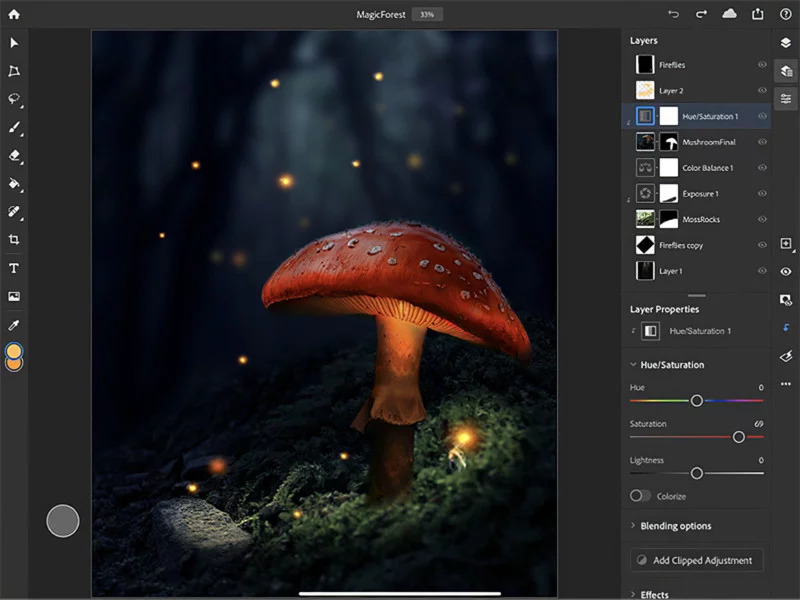
The company is planning to follow a rapid-fire schedule of releases that will add new features and capabilities to the app. Features coming soon include the ability to rotate the canvas, Refine Edge, Select Subject, and more brushing options.
You’ll need to be running at least iPadOS 13.1 for Photoshop, and supported iPad versions include the Pro (Wi-Fi, Wi-Fi + Cellular), Pro 12.9-inch (and 2nd generation), Pro 10.5-inch, Pro 9.7-inch, 5th generation, mini 4, and Air 2.
Here’s how pricing works for the new Photoshop on iPad app: if you’re already subscribed to the Photography plan (for Photoshop and Lightroom) for $10 a month before January 31st, 2020, you’ll have the iPad app bundled into your plan. Otherwise, you’ll need to at least subscribe to the Photoshop plan that gives you access to the desktop and iPad app (as well as 100GB of cloud storage) for $21 per month. The iPad app is also bundled into the $53/month plan that gives you access to all Creative Cloud apps.
Post via petapixel